

What do they already have?
Scheduling and work-order tools, customer records, technician reports, photos, and an established billing process.
Business Orchestration · Field service
Less chasing. A clearer path from job to handoff.
Schedules, work orders, and completion reports already tell the story. FieldLink illustrates how DAT could use AI to bring that information into clear job briefs, an exception view, and approved summaries for billing and customers.
Scheduling and work-order tools, customer records, technician reports, photos, and an established billing process.
Staff chase missing details, retype the same facts, and piece together what happened before the next person can act.
AI-assisted job briefs and completion summaries, a view of missing information, and a clear approval step using those existing outputs.
Technicians get useful context. Office staff review exceptions. Customers receive clearer summaries, with less repetitive work between each handoff.
This example brings existing job evidence into a reviewable summary. Scheduling, work orders, and billing remain in the tools the business already uses.
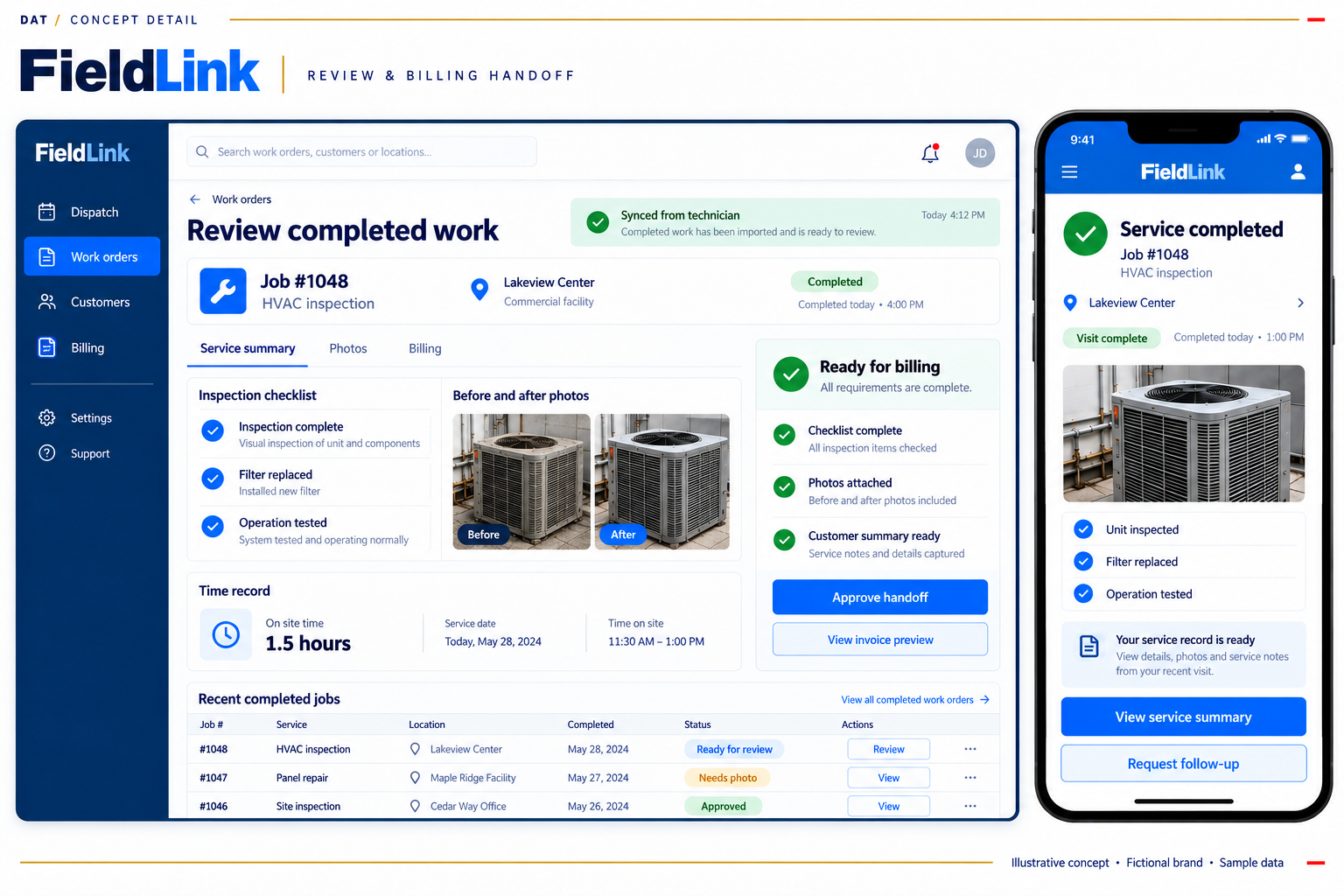
Concept screenshots with fictional data. These are visual demonstrations, not live applications.
Follow the proposed workflow, explore the assumptions, or see what a focused first step could involve.
Use approved schedule exports, work-order details, and customer records with stable job identifiers.
Keep the original systems authoritative.
Use AI to draft a concise brief from those records. Show the source and flag missing or conflicting details for a person to resolve.
Give technicians context without another round of retyping.
Combine completion reports, notes, and photos already captured by the field team into a review view.
Spend less time reconstructing the visit.
Apply agreed completeness checks. A supervisor confirms the evidence and approves the handoff.
Keep decisions with the responsible person.
Produce an approved billing summary and customer update for the business’s existing processes and channels.
Make the outcome clear to the office and the customer.
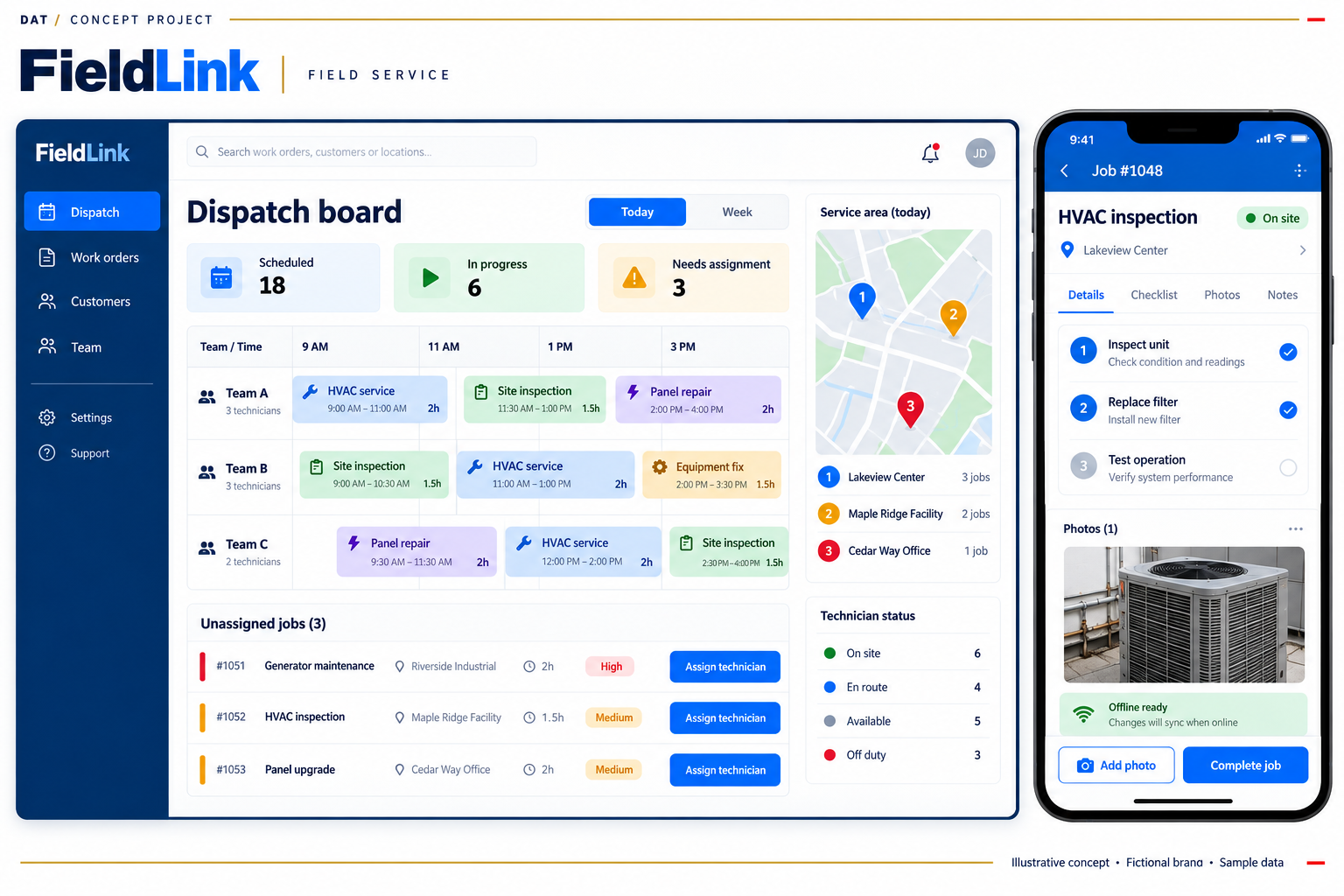
The schedule and checklist illustrate a possible combined view. Assignment and completion controls would need an explicitly approved handoff to the existing tools; a first step can use their exports without enabling those controls. The pictured offline state is illustrative, not an implemented capability.
Existing scheduling, work orders, customer records, and invoicing continue to own their records and decisions. A useful first step can begin with approved files or reports.
A concise job brief, a focused exception view, and clear handoff summaries—designed around the staff and customers who need them.
Draft briefs and summaries from approved source material. Keep facts traceable, hold uncertain information, and require review before release.
Use agreed exports, reports, or existing APIs where appropriate. Define access, refresh timing, and ownership; any writeback or new data capture is a separate, explicit decision.
AI assistance is proposed as part of these concepts. Source checks, explicit rules, and human approval remain essential before information is acted on or sent.
Adjust the operating assumptions and costs to test the business case. The starting values are an example, not a forecast. Contribution means value after the relevant variable costs.
Illustrative scenario. Example costs are model inputs, not DAT prices or a quote. Include your internal change effort and other implementation costs before using the result.
Net benefit divided by total first-year cost
| Measure | Modeled | 50% benefit |
|---|---|---|
| Annual benefit | $57,600 | $28,800 |
| Year-one cost | $36,000 | $36,000 |
| Net benefit | $21,600 | -$7,200 |
| ROI | 60% | -20% |
| Payback | 5.5 months | 20.0 months |
(120 - 40) paid overtime hours x $60 fully loaded overtime cost = $4,800/month
Year-one ROI = (12 × monthly benefit − initial cost − 12 × monthly cost) ÷ (initial cost + 12 × monthly cost).
Simple payback = initial cost ÷ (monthly benefit − monthly cost). No payback is shown when ongoing net benefit is zero or negative.
The illustrative financial case assumes paid overtime falls from 120 to 40 hours per month. Eighty avoided hours at a $60 fully loaded overtime rate create $4,800 in monthly cash benefit only if the paid spend is actually eliminated. Time saved inside normal shifts is capacity, not automatically a cash saving, and is excluded from this ROI. Validate the baseline across comparable workloads, confirm that fewer hours do not come from fewer jobs, and monitor completion quality and repeat visits. The proposed application does not guarantee the reduction; dispatch practice, job readiness, adoption, and payroll evidence determine whether the benefit is real.
Bring us a repetitive task and the outputs your team already uses. We can explore a focused way to turn them into a more useful experience.